

The studio system for photographers · First event free
Hundreds of photos. One link. A final selection in minutes.
LumaPro organises your event, groups every face, suggests the best shots and lets your client choose from any phone, with no account and no app. You receive a final list that is ready to print.
- No credit card
- No client account
- عربي · English
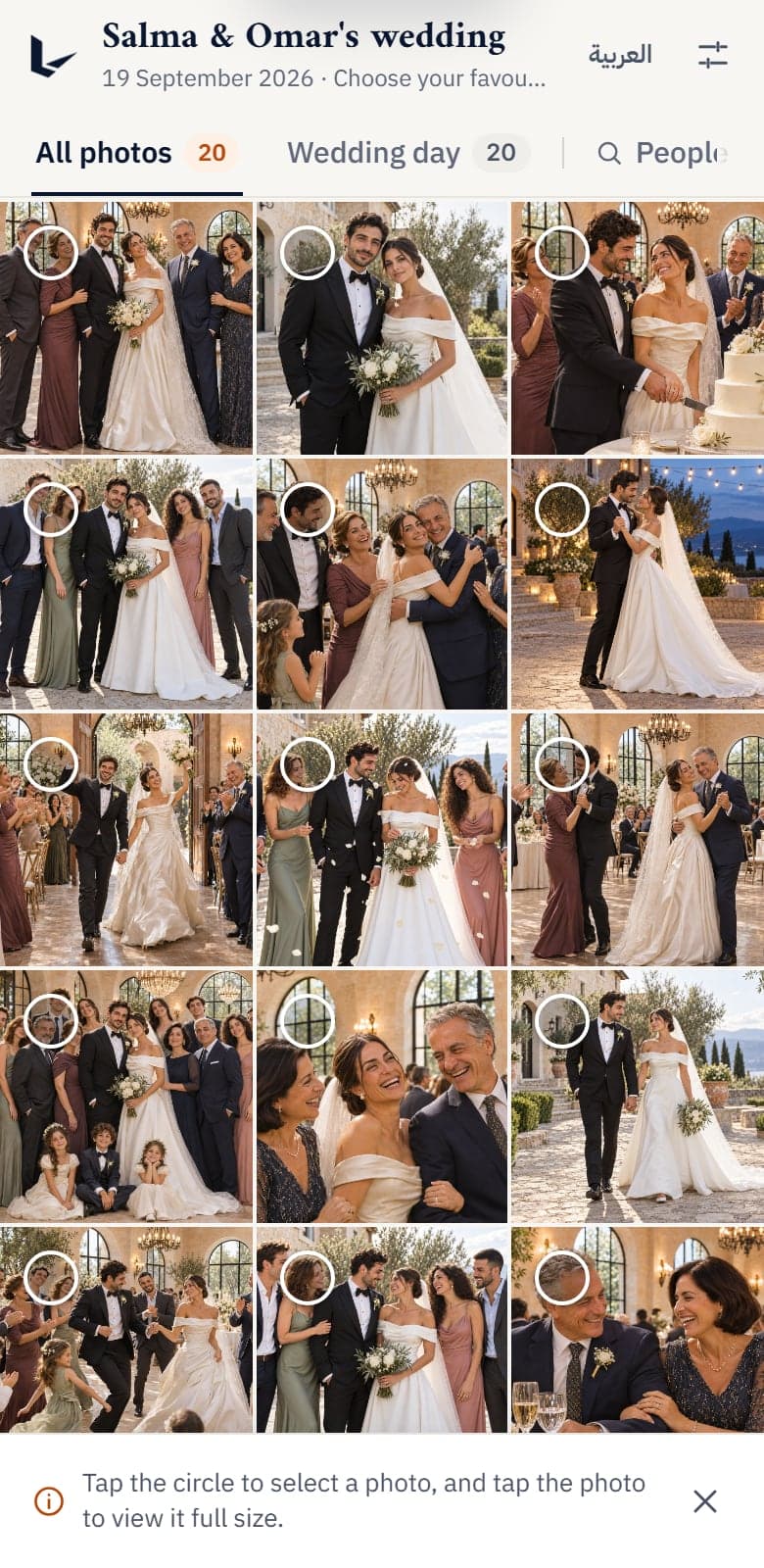




12 photos chosen
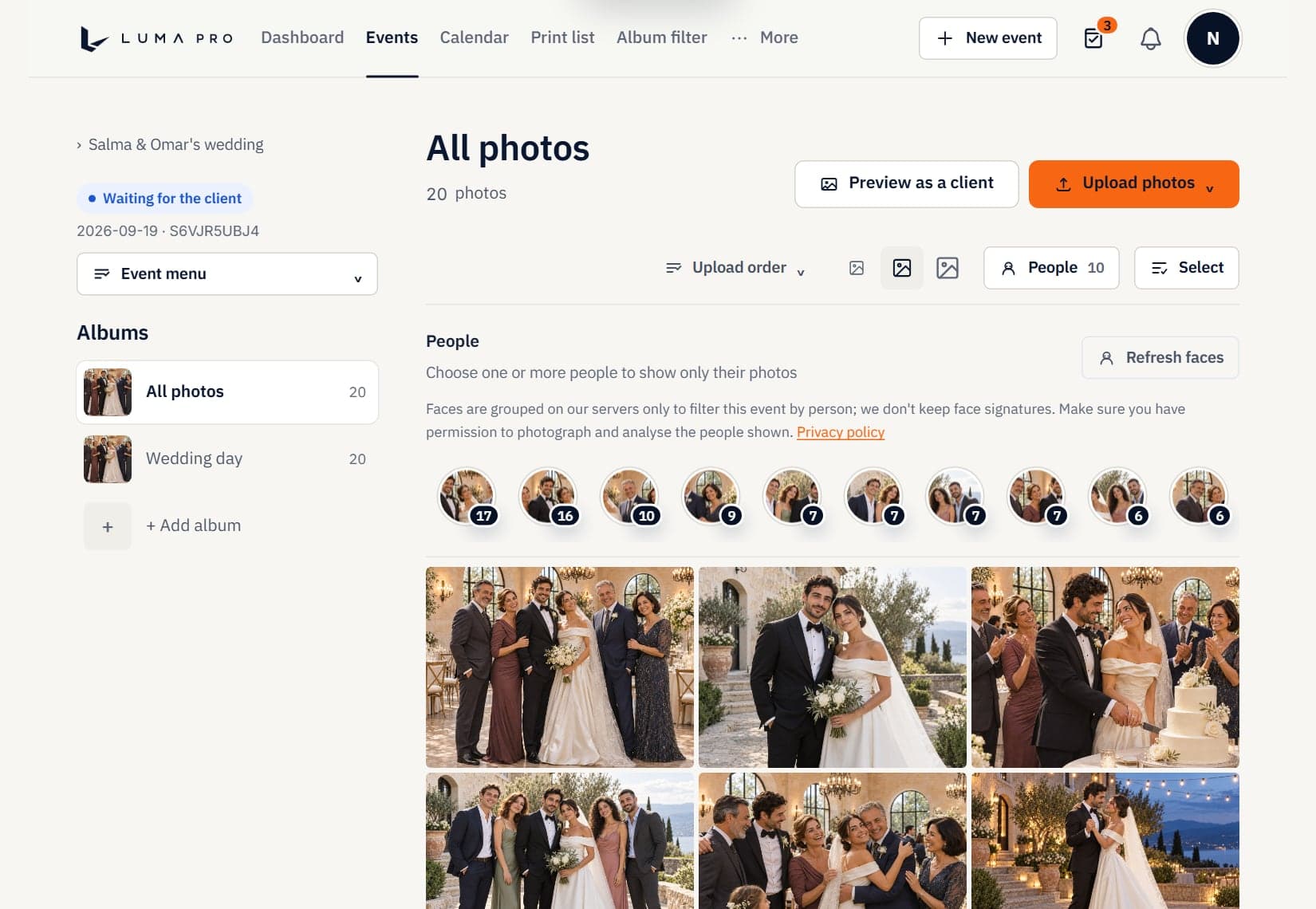
Faces grouped automatically
Illustrative AI-generated images of people who do not exist
The whole studio, one system
From the first shot to the final delivery.
Scroll through the workspace you use and the gallery your clients see.
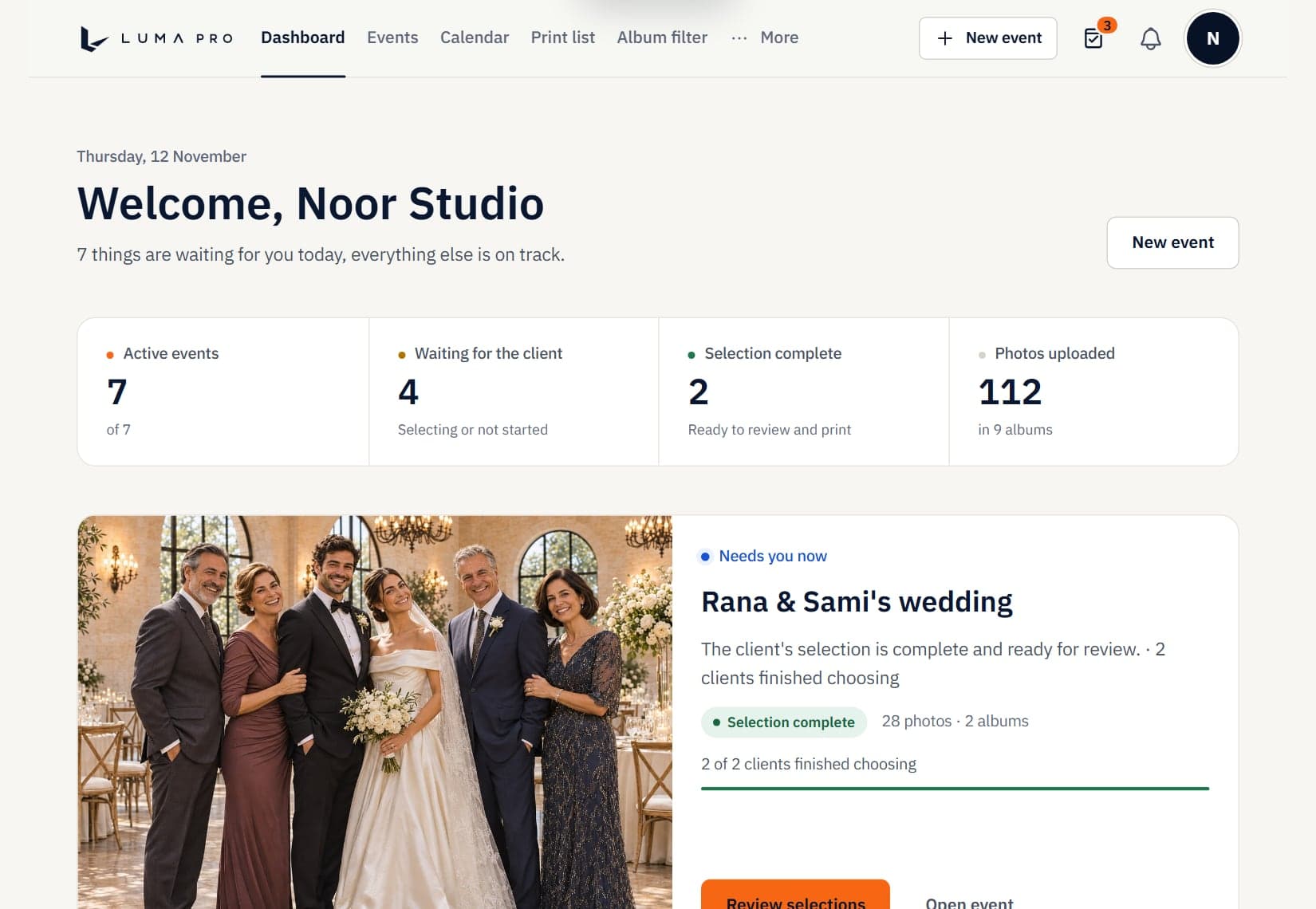












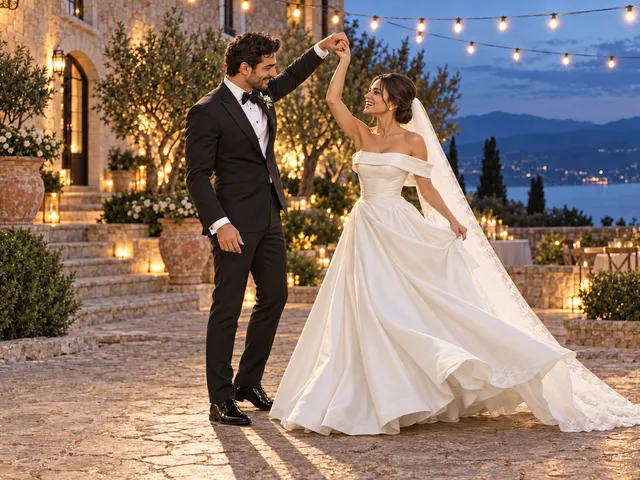
Your studio at a glance
Active events, client status, today's priorities and upcoming bookings in one calm dashboard.
The whole studio, one system
From the first shot to the final delivery.
Scroll through the workspace you use and the gallery your clients see.
Your studio at a glance
Active events, client status, today's priorities and upcoming bookings in one calm dashboard.
Every event, beautifully organised
Albums, fast uploads and a clear status for every stage, from the first frame to final delivery.
- 352photos100scenes256recommended
 Recommended
 Closed eyes
 Recommended
 Recommended
Smart selection that sees what you'd cut
Similar shots are grouped into scenes. The best frame is recommended, and duplicates, closed eyes and blur are flagged. You keep the final say.
 30
 30
 11
 10
 11
 11
 13
 18
 15
 14
Find anyone in one tap
Every person is grouped automatically, so the couple, the family or one guest is always a tap away.
A gallery your clients will love
A private link with no account and no app. Large, clear photos and one-tap choosing on any phone.
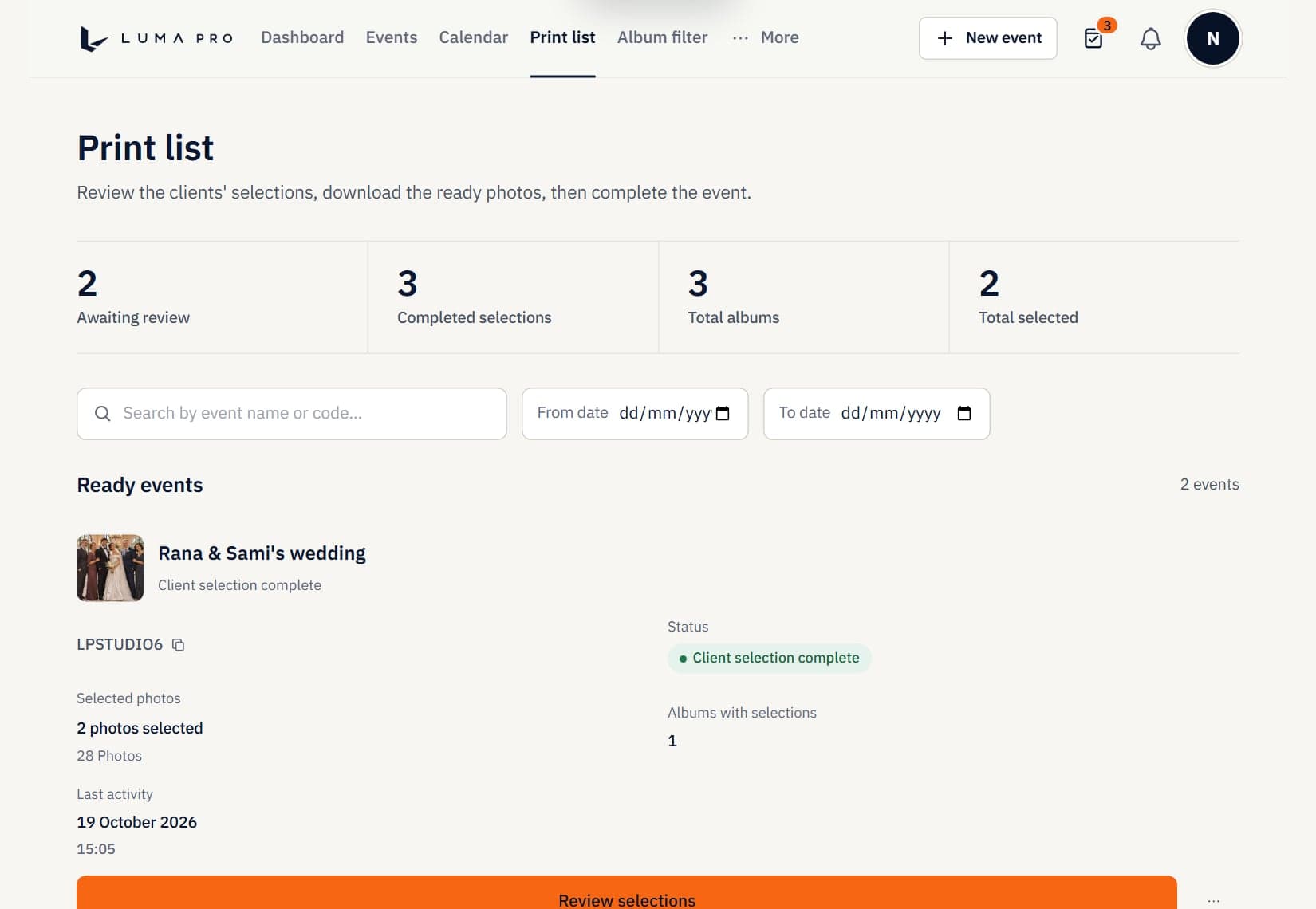
A final list, ready to print
Selections arrive as an exact list and a tidy ZIP, and you see at once which events are ready.
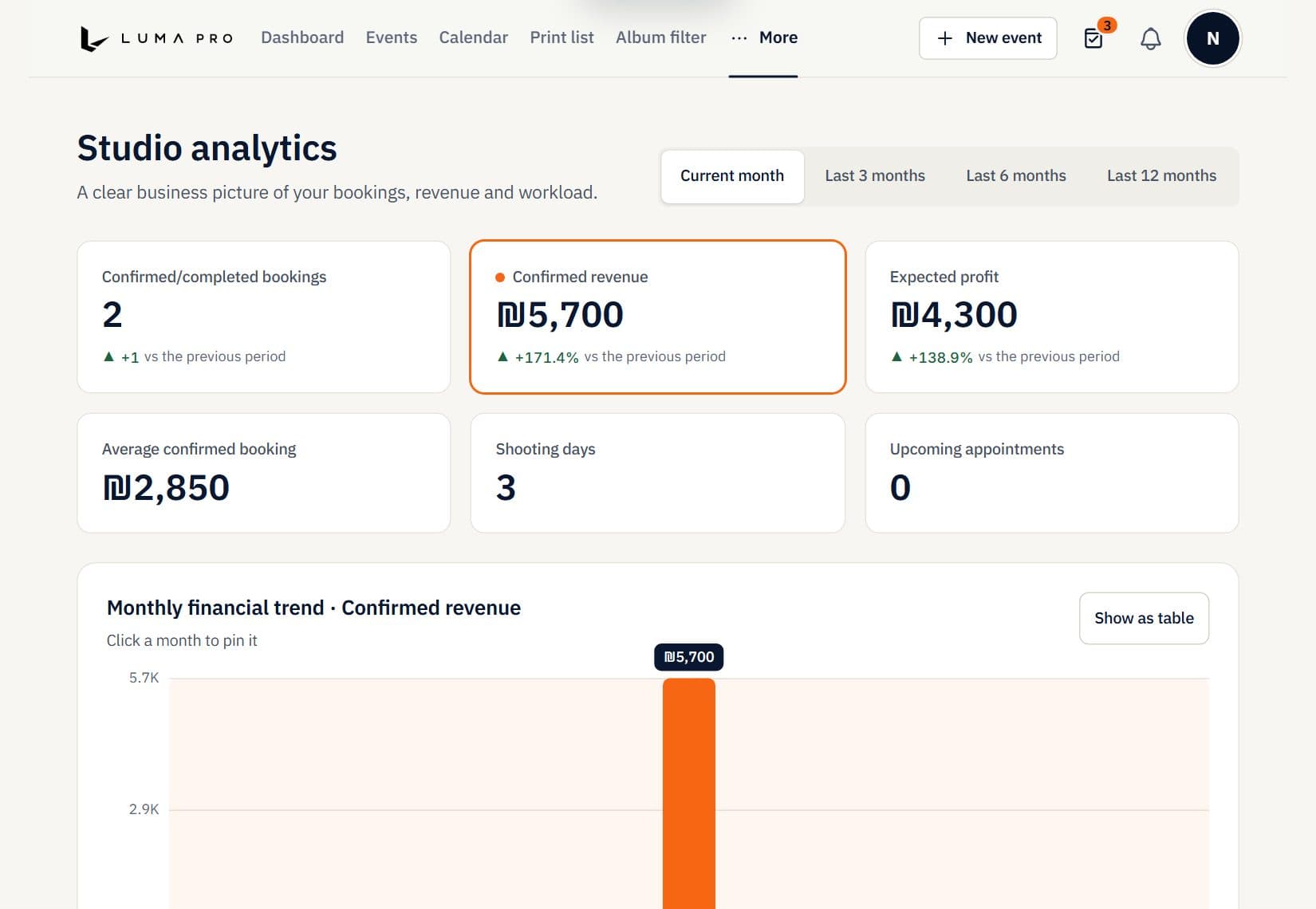
Run the business, not the paperwork
Calendar, bookings and live stats, so you always know what is next and what is earning.
Smart selection, measured
Fewer clicks. Better picks.
Results of running the engine on a wedding album of 352 photos.
- 256shots recommendedout of 352, one best frame per moment
- 57near-duplicates caughtset aside automatically
- 27closed-eye shots flaggedmarked for your review
Real output on a demo album; results vary with your photos.
Product tour
See how it works, step by step.
Try every step yourself on a demo album: organising, smart selection, faces and the client gallery.
Every photo of the event in one place
Create the event and upload photos into albums, and follow the status, the count and the event code from one screen.
- Tidy albums
- Fast upload of hundreds of photos
- A clear status for every stage
From hundreds of shots to the best ones
The system groups similar shots into scenes, recommends the best in each scene and sets aside duplicates, blurry frames and closed eyes. The final call is yours.
- Scenes made of similar shots
- A clear reason for every skip
- Override any suggestion in one tap
- 57 near-duplicate shots
- 27 closed-eye shots
- 12 blurry shots
Tap any shot to change the suggestion. The final decision is always yours.
Illustrative AI-generated images of people who do not exist.
Find anyone in one tap
The system recognises the people at the event and gathers their photos, so you find the couple or the family instantly and send them what they want.
- A group for every person
- Filter the album in one tap
- Less time searching by hand
36 photos in the album

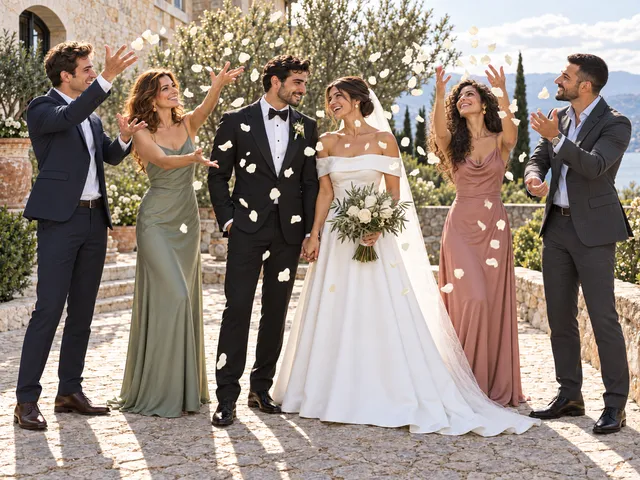
















Tap a face to see only that person's photos.
Illustrative AI-generated images of people who do not exist.
The client chooses from their phone
A private link with no account and no app. The client picks favourites and you see their selection the moment it's sent.
- No account and no app
- A private link for every event
- A final list that is ready to use
Try it yourself
Be the client for a minute and watch what reaches you.
Tap the photos you like, then send your selection. Beside it you see what appears in your dashboard as it happens. These are demo photos.
What the client sees
What you see
0 / 6
Chosen photos
The client hasn't chosen anything yet
You're notified the moment the client sends.
And after delivery: run the whole business
Calendar, bookings, print list and stats in one system instead of scattered tools.
- Calendar and bookings
- A print-ready list
- Interactive stats
From the system itself, in its current design.
Privacy for every event
A separate link and code for each event.
Two languages
A full interface in Arabic and English.
Interactive stats
Follow your activity and events in numbers.
Light and dark
Pick the look that is easy on your eyes.
The difference
From chat chaos to one system.
| Messages and shared folders | LumaPro | |
|---|---|---|
| Choosing photos | The client writes photo numbers or names | The client taps photos in a gallery |
| The final list | You collect it from the messages | An exact list and a ZIP |
| Knowing it's finished | You ask and wait | The status shows in your dashboard |
| Finding one person | Scroll through hundreds of photos | Face groups, ready |
| Sorting the shots | By hand | A smart suggestion of the best shots |
| What the client needs | Often an app or an account | Just a link |
Three steps
From upload to selections in minutes.
Upload the photos
Create the event and arrange the photos in clear albums.
Send the link
A private link that works on phone and computer. No account and no app for the client.
Receive the selections
The client's final list reaches you, ready to review and print.
Fits your work
For every photographer who delivers photos to clients.
Weddings and parties
Hundreds of shots from one event, and the couple chooses in minutes.
Family and children sessions
A private gallery for every family and fast delivery of favourites.
Schools and kindergartens
Big groups: gather each child's photos by face and send them to the parents.
Portraits and events
Organised albums and professional delivery for every client.
Privacy and security
Your clients' photos are in safe hands.
We built LumaPro around a simple idea: only the people you send the link to see the photos.
A private link and code for every event
Only people you share the link with can open the gallery, and events never mix.
Temporary photo links
Photos are served through secure links that expire, so they don't stay open forever.
No client accounts
We don't collect sign-up data from your clients, only their selections.
Payment through an independent provider
Payment runs through an independent payment provider (iCredit), and the payment method is managed there securely.
You control deletion
Delete an event and its photos when you're done, in line with the privacy policy.
Protection from abuse
Request limits and origin checks protect the account and the galleries from misuse.
Work it out yourself
How many hours will you win back each month?
Move the two sliders to match your work and see an estimate of the time saved compared with manual sorting and chasing clients.
A rough estimate based on average manual sorting time.
Start saving timePricing
One simple plan.
Start by trying your first event free, then subscribe once you're convinced.
LumaPro Pro
19.99$/ per month
- Manage events and galleries clearly and neatly
- Fast photo upload with smart sorting into albums
- Follow clients' print selections with ease
- ZIP download and a full professional workflow
Your first event is free with no credit card. You can manage the subscription from the billing page.
Questions before you sign up
Everything you need to know, in short.
How do I get started?
Create an account and an event, upload the photos and send your client the private link. Your first event is free with no credit card, and there is nothing to install: LumaPro runs in the browser on a computer or a phone.
What does the free trial include?
A complete first event with no credit card. To create more events you subscribe to the Pro plan.
Does my client need an account or an app?
No. They open the private link, choose photos in the browser and send their selection.
How do I receive the selections?
In your dashboard: an exact list of the chosen photos, a ZIP file, and a print-ready list for finished events.
Can I limit how many photos a client chooses?
Yes. You can set a maximum number of selections for each album.
Which languages are supported?
Arabic and English, in your workspace and in the client gallery, and each client picks their own language.
How does smart selection work?
It groups similar shots into scenes, recommends the best frame in each, and flags duplicates, blur and closed eyes. You can override any suggestion.
How does face grouping work?
People in the album are grouped automatically, so you can filter the gallery by person and find the couple, the family or one guest in a tap.
Who can see my clients' photos?
Only people who hold the event's private link and code. Photos are served through temporary links, and the link should not be published openly.
Who owns the photos?
You do. You keep your rights in everything you upload, and you can delete an event and its photos at any time.
How much does the plan cost?
The Pro plan has one monthly price: 19.99 $. It covers event and gallery management, smart sorting, print selections and ZIP download.
Can I cancel, and how do I pay?
You can cancel at any time from the billing page in your account, and access continues until the end of the paid period. Payment runs through an independent provider (iCredit).
How do I get help?
Write to us from the contact form at the bottom of the page, or from the support chats inside your account.
Ready to deliver your photos the smarter way?
Create your account, upload your first event and send your client the link today.
Try your first event freeNo credit card
We're here to help
Contact the LumaPro team
Fill in the details and we'll get back to you as soon as possible.